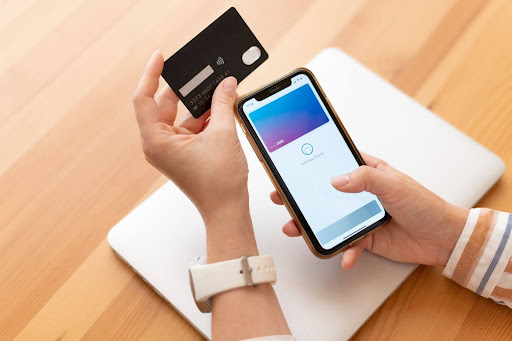
The Home Credit App is quite straightforward in its purpose: it should not remotely resemble borrowing paperwork but rather take away the stress of borrowing and turn it into a simple task you can track and complete from your phone. Hence, if you are a person who likes to have things done quickly, clearly, and under control, the app experience will be just as important to you as the loan itself. This article was written from a very sensible point of view focusing on what the path is generally like when you are inside the app, what the most efficient functions are, and where users get stuck.
First impressions and onboarding
The app has been set up so that your start with it is quick. The UI is geared towards getting you to the main activities as quickly as possible: looking at the loan choices available, finding out if you are eligible, and starting an application. The coaching experience is pretty much a guided one which is a big help if you have never used a digital lending app before. You won’t be clueless about the next step. There are obvious buttons to click, steps are broken down into parts, and there is a feeling of “progress” as you go along.
Right from the start, the Home Credit App is more about laying a foundation of trust. Typically, users want clear branding, easily accessible support options, and straightforward prompts that tell them why a certain piece of information is required to be given. When the app/scripts make clear the “what” and “why” of each step it is more professional and less like a random form.
Navigation and app design
Most people, from a usability point of view, basically want two things: good navigation and that no nasty surprises come up. A good lending app should not put essential information deep down under multiple menus. The Home Credit App is, in fact, mostly organized around the main tasks: apply, track, pay and review details. This approach is correct because visibility becomes the main requirement when a loan is active. Users wish to see what they owe, the time when they have to make a payment, and how they can make a payment seamlessly.
When it comes to designs, the best apps are the ones that don’t make the users read through a lot. Words like “due date”, “EMI”, “repayment”, and “total payable” should all be equally clear across different screens. People get scared when apps use different words or labels for the same thing because it involves money. A functional experience is one that is dependable and well-known.
The application flow
It is actually in the application flow that most customers determine whether the application is user-friendly or brings them stress.
- Applicants are informed about the documents they need and also the time it will take the application process.
- Applicants are always informed about the progress of their application and are able to track it without any trouble.
- Information about interest rates, payment terms and monthly instalments are communicated clearly and consistently.
- Complicated loan contracts and legal terms are avoided.
People have a tendency to be happier if the Home Credit App presents itself as a checklist. A user completes one task, receives a confirmation, and moves on to the next one. The best type of flow is that in which users can actually count how many steps they still have to complete, and thus, can plan their time accordingly.
One of the major frustrations in loan apps is when a necessary step ends up failing without a clear explanation of the reasons. For instance, when a document upload doesn’t work, the app should show if it is because of the format, the size, or the connection. A major factor that distinguishes a “good” from a “bad” experience is often the error messaging.
Document handling and verification experience
No one really enjoys the task of uploading documents, but they simply endure it because it is necessary. So the real test is: is it done quickly and can it be predicted? One is having a great experience when the app makes uploading images very easy, they can be previewed clearly, and it is confirmed that they are readable. Being able to take pictures, crop, or upload again without having to start all over is a huge help in reducing frustration.
The Home Credit App experience is also influenced by the way verification steps are clarified. In case the app requests permissions, then it should be quite clear about what they will be used for. People tend to be in a better position when they have clarity and are not simply confronted with pop-ups. Applications that are good in this respect generally garner higher trust.
Loan tracking and repayment experience
When a loan is being utilized, the app must be a dashboard. It is primarily here that usability knocks really loud because these are the screens to which the users return most of the time.
A strong repayment experience usually includes:
- simple and multiple options for making payments;
- fast and clear feedback on new payment status;
- easy access to the historical and upcoming repayment schedules;
- causes and solutions for common repayment issues;
- personalized repayment tips.
Doing repayments in the “Home Credit App” should be more or less the same as “one tap away from it.” Besides, after the payment is made, showing your updated status faster will give you and your clients that impression of being dependable. People are mostly indifferent to whether a design is fancy or not and, instead, they value a product that is reliable. When the payment status updates are delayed or even unclear, the users get anxious although everything is technically fine.
Customer support and trust signals
Customer support is the place where users evaluate the seriousness of the business. Even if you don’t really have to contact the support department ever, just knowing that it is there is very comforting. Users in the “Home Credit App” commonly have such a help feature which is easily accessible. The perfect support experience is being able to get help from the very same screen where the problem occurred without having to pass through other pages.
Trust is also gained through the manner of communication. If the app uses straightforward language, clear confirmations, and transparent loan summaries, it is more trustworthy. On the contrary, users become wary when they feel that the app is pushy, vague, or bombarded with promotional banners. Lending is a highly sensitive product. The interface has to be a source of comfort.
What works well, and what could be better
What tends to work well
- simple user interface and flow
- clear communication about the verification process
- convenient repayment features
What could be improved
- providing more detailed feedback to users in case of an error
- making support more reachable and proactive
- general app performance
Final takeaway
Basically, the Home Credit App revolves around a down-to-earth commitment: helping users to manage borrowing cycles and repayments on a mobile phone more conveniently. The very first users to get the most out of this experience are those who just want a straightforward process that is fully guided, and they also favor having everything tracked in one place.
As is the case with most financial apps, the abruptness or smoothness of the user experience is mostly determined by those tiny moments: how fully the steps are explained to the users, error handling, and how efficiently the app updates the user status after the user has performed certain actions.
In case you decide to try it, the best way to go about it is to treat the app just like any other money tool: look around the dashboard, carefully read the summaries, check how repayments are presented, and finally, support options should be there, in your sight. A user’s delight does not only hinge on the speed of interaction. More importantly, it is about feeling in control all along.